One calendar for jobs, tasks, leads, and time off.
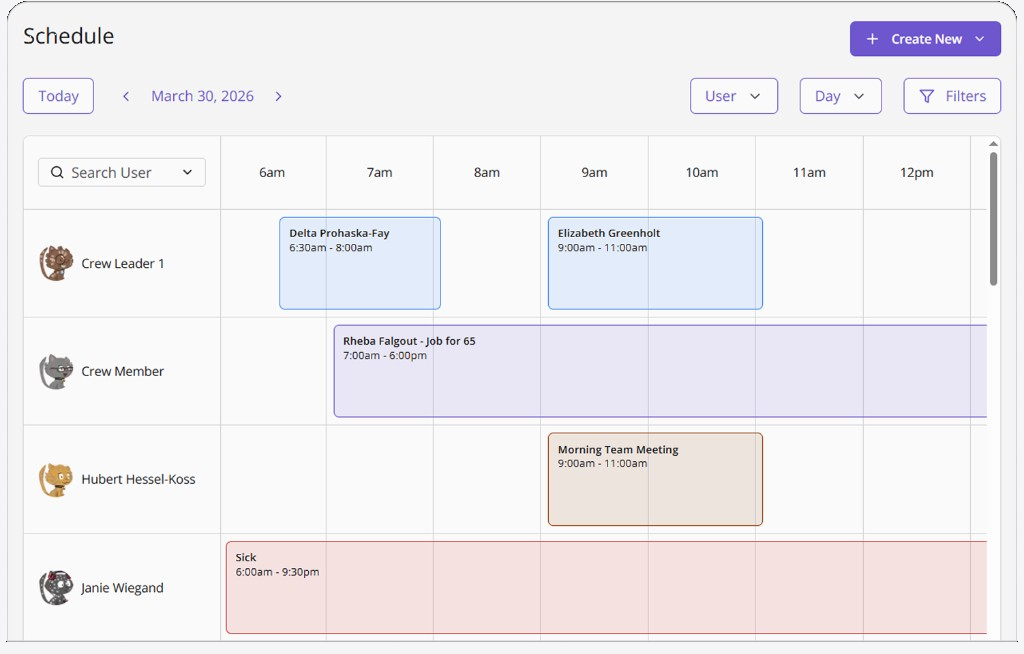
See your entire operation on one calendar. View by team member or by job, switch between day, week, and month views, and publish shifts that notify your crew automatically.
How it works
Pull up the calendar and choose your view: day for hour-by-hour detail, week for the full picture, or month for a high-level overview. Toggle between user mode and job mode depending on what you need to see. Create draft shifts with crew assignments, subcontractors, and break schedules. When everything looks right, publish and your team gets notified automatically.
Key benefits
- Day, week, and month views
- User mode and job mode
- Four item types on one calendar
- Draft and publish workflow
Frequently asked questions
Explore more features
AI Business Consultant
Ask questions in plain English and get answers from your data. Plus AI-enhanced proposal emails and crew notes.
Equipment & Vehicles
Track equipment and vehicles with calendar-based scheduling and double-booking prevention.
My Wallet
Bonus payouts from closed jobs appear instantly with full earning history.