For plumbing service and project work

Take the repipe scope from the walkthrough to the final bill.

Which runs are being replaced? Who is handling access? What did the homeowner agree to? Put those answers beside the estimate, crew schedule and photos so the plumber arriving tomorrow has more than an address.

No long-term contract · Live and set in a week · 14-day free trial

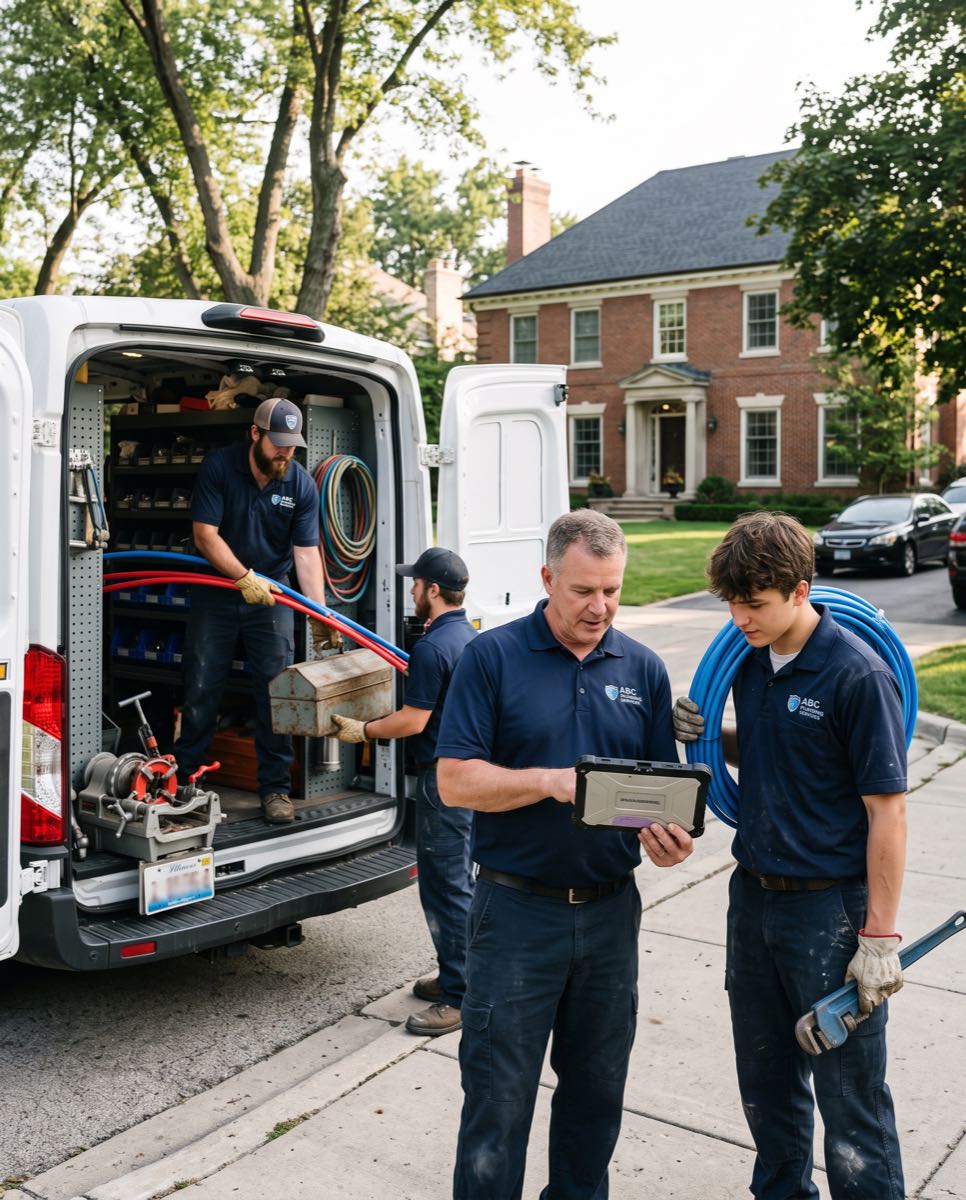
Uniformed plumbing crew arriving at a home: plumbers unloading gear from the company van while the lead reviews the job on a tablet

Built hands-on with working service businesses.

KAN Builders
Attic Projects — Attic & Crawl Space Experts
Alohomora Locksmith & Garage
Jakobsen Water & Fire Restoration
Sky Clean Air
KAN Builders
Attic Projects — Attic & Crawl Space Experts
Alohomora Locksmith & Garage
Jakobsen Water & Fire Restoration
Sky Clean Air

A repipe needs more detail than “replace the pipes.”

A plumbing office may book a water-heater visit and a multi-day repipe in the same morning. The useful system is the one that keeps the small call moving while preserving the detail on the bigger job.

Let Meni prepare the repipe follow-up. Illustrative chat: You: “Write a follow-up for the repipe proposal that has not been signed.” Meni: “The draft is ready for you to check against the quoted scope.” Review it before sending. Incoming plumbing calls and texts stay in the inbox, giving the office a conversation to work from instead of a message on a personal phone.
Walkthrough

The next plumber did not hear the scope discussion.

The person who quoted the repipe knows the access constraints, but the assigned crew sees only a job name.

The fix

With Menaia, the client, property and estimate items follow the approved quote into the work order.

Scope attached The walkthrough reaches the field See the estimator
Pipe and labor

A repipe total hides the difficult runs.

Materials are counted, but the labor allowance treats every route through the house as equally accessible.

The fix

With Menaia, your catalog items and labor inputs let you price the actual work areas before reviewing the total.

Runs + access Price the work you actually scoped See live margin
Work allowance

The repipe target ignores the final visit.

The crew gets a time target for replacement work while testing and the agreed closeout still need time.

The fix

With Menaia, the estimate supplies an explicit labor budget that you can review against all recorded job shifts.

Complete job hours Include the agreed closeout work See time bonuses
Customer agreement

“Whole-home” means different things to each person.

A homeowner assumes a fixture or repair is included because the proposal never makes the boundary clear.

The fix

With Menaia, the proposal presents the selected scope for review and signature before the crew starts.

Listed inclusions Give the homeowner a scope to check See proposals
Urgent visit

A leak call pulls someone off the repipe.

The office promises a service visit without seeing the plumber's existing project assignment.

The fix

With Menaia, the scheduler can inspect that person's shifts and appointments before changing the day.

Shared availability Check both jobs before committing See scheduling
Crew contribution

The helper cannot follow the bonus split.

Different plumbers work different hours on the repipe, and a flat explanation leaves the shares unclear.

The fix

With Menaia, the hours-saved pool is divided by each person's recorded contribution to the job.

Hours-based shares Make each plumber's part visible See the Wallet
Billing handoff

Water is restored, but the office is still rebuilding the bill.

Completion photos are in texts and the repipe line items are in another document.

The fix

With Menaia, the estimate supplies the invoice lines while the project record holds the crew's media.

Connected closeout Find the scope and field record together See invoicing
Job review

Repipe overruns hide among quick service tickets.

A healthy sales total does not explain which longer jobs consumed more labor than planned.

The fix

With Menaia, you can examine the estimated and actual hours on the repipe instead of judging it by revenue alone.

Repipe actuals Review the project behind the total See cost tracking

Turn a walkthrough into a defined repipe.

For a whole-home repipe, begin by agreeing which supply runs and fixtures the work touches. Record access notes on the property. Then build the estimate by work area, using your own pipe, fittings and labor items. The point is a scope another plumber can pick up without repeating the walkthrough.

  • Enter the quantities for the runs you inspected and the fittings you intend to use; a familiar house size is not a substitute for the scope.
  • Include the labor for access, replacement and the closeout work you agreed to perform. Review what the proposal includes with the homeowner.
  • Check cost, retail, discounts and tax in the estimate breakdown before requesting a signature.
  • If a water-heater replacement is a separate job, give it its own scoped estimate rather than burying it in the repipe description.
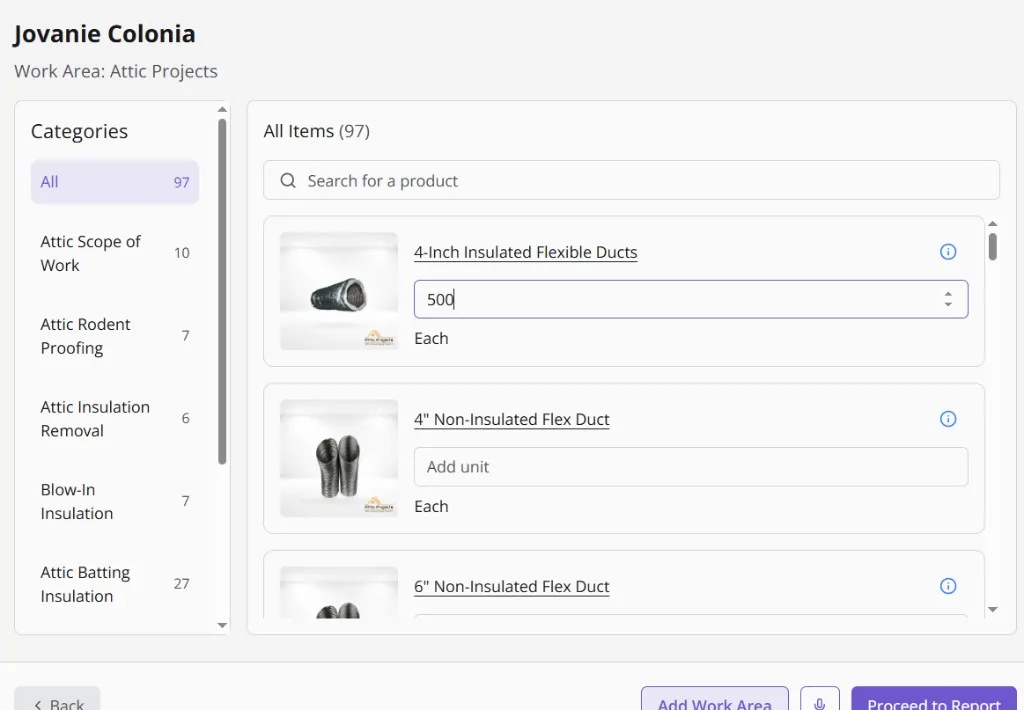
The Menaia estimate calculator for a client: 97 catalog items across categories like attic rodent proofing and blow-in insulation, with a quantity entered on insulated flex duct
Meni is building the estimate
From the price book, on a real job
  • Pulled the price book97 items with your real labor and material costLoaded
  • Priced the linesQuantities in, margin computed per lineMargin visible
  • Drafted the proposalE-signature and the client portal link attachedReady

Handle the leak call without losing the repipe plan.

Suppose a service request arrives on the second morning of a repipe. Look at the current assignments before choosing who can attend. Draft the changed shifts, check the remaining project coverage, and publish when the office has a workable plan.

  • Use the job planner to lay out repipe work, people and equipment by day.
  • Keep the homeowner's access and parking notes on the property so a replacement crew member can read them.
  • Organize the project gallery into folders such as existing pipe, rough-in and finished work.
  • Let each plumber record shifts against the job they worked, keeping the service call separate from repipe labor.
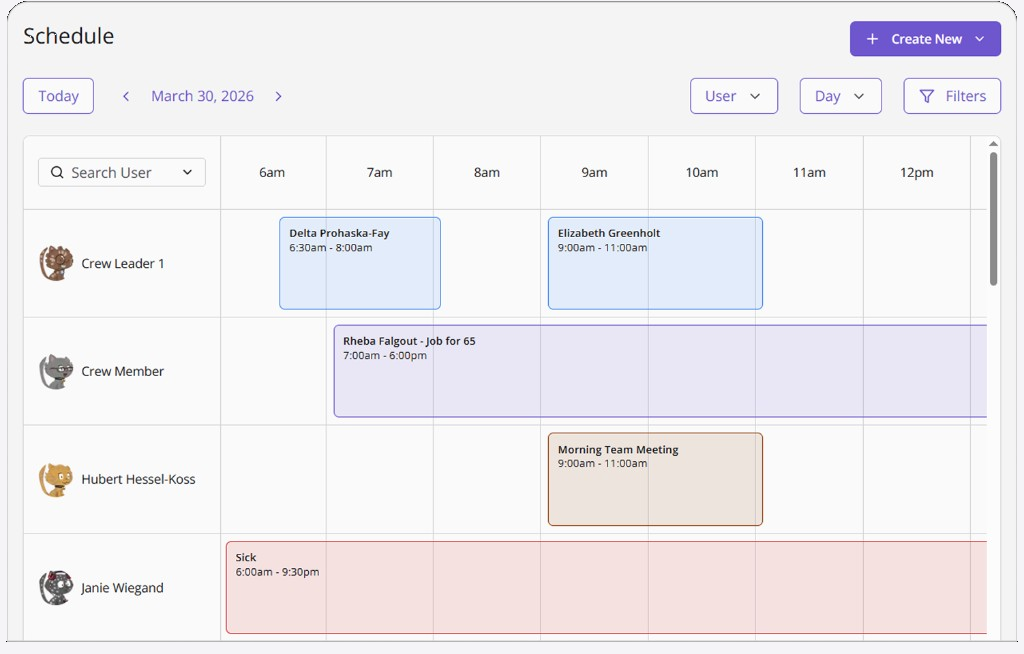
The Menaia schedule in day view: a crew member on Job for 65 from 7:00am to 6:00pm, a morning team meeting, and a sick day, all on one board.
Meni is filling the board
From sold estimate to crew phones
  • Held Thursday 9:00 AMAssessment created from the sold estimateHeld
  • Published the shiftThe crew sees it on their phonesPublished
  • Sent the on-my-way textFrom the schedule, when the tech rollsSent

Make the repipe reward easy to explain.

A crew that shares a multi-day job needs a clear account of the hours and the payout. Menaia uses the difference between estimated and actual labor, your branch rate, and your pool percentage to calculate the bonus.

  • Explain the full repipe allowance before work begins, including the closeout tasks in the estimate.
  • Split the resulting pool in proportion to the hours each plumber worked, with the entries shown in their Wallets.
  • Review an overrun against the recorded scope and shifts before deciding what to change in the next bid.
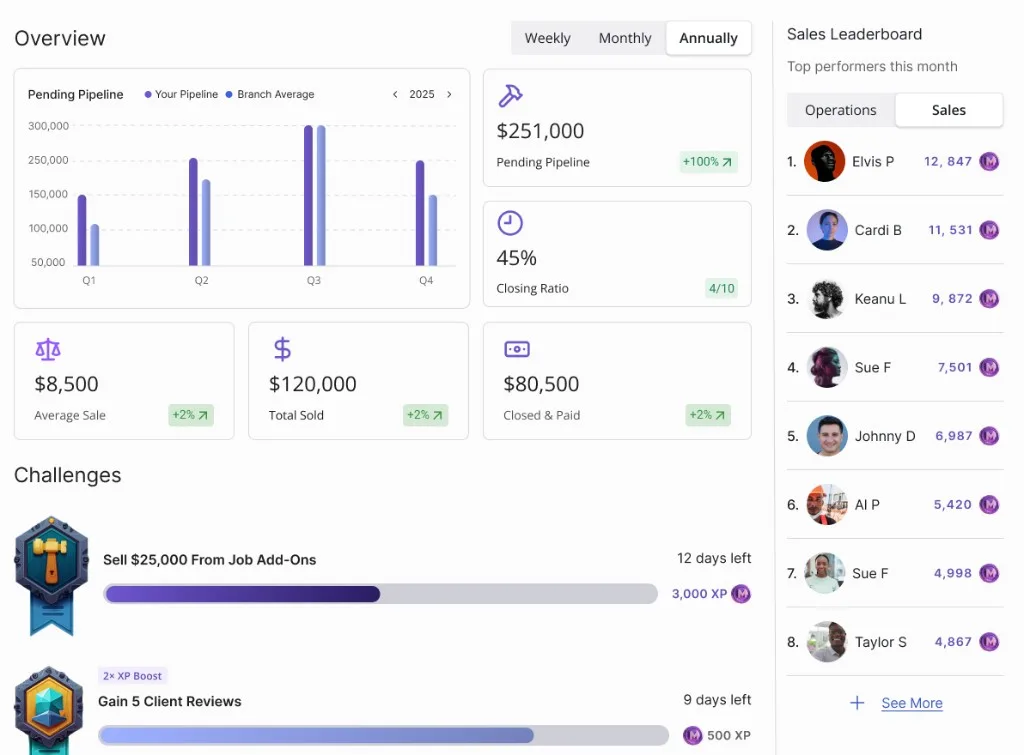
Two active Menaia challenges with badge artwork: Sell $25,000 from job add-ons, 12 days left at 3,000 XP, and Gain 5 client reviews with a 2x XP boost at 500 XP.
Meni is settling the job
Hours to bonuses, no arguments
  • Closed the job under budgetThe crew beat the time budget by 2.5 hoursClosed
  • Paid the bonus into the walletComputed from the hours, visible to the tech+$220.14
  • Posted the winLeaderboard and team feed updatedPosted

Everything else you'd expect, in one place.

Invoicing, payments, project forms, team feeds, and more. Book a demo and we'll walk you through every feature live.

Plans from $134.99 a month. Live in a week. No long-term contract.

Menaia runs on simple terms for plumbing businesses: clear plans with seats included, extra users at $35 a month, hands-on onboarding, and no long-term contract. We grow when you grow, so we would rather get you winning first.

The old way
  • Call for pricing, then a quote that changes on the demo
  • $10k+ onboarding and long implementation
  • Locked into a multi-year contract
  • Every new feature is a paid add-on
Menaia
The Menaia way
  • Plans from $134.99/mo with 3 seats included
  • Live and set in a week with hands-on onboarding
  • No long-term contract, stay because it works
  • Clear from day one, no surprise costs

From the crews already running Menaia.

A short customer story and a few words from the Attic Projects team on what changed after the switch.

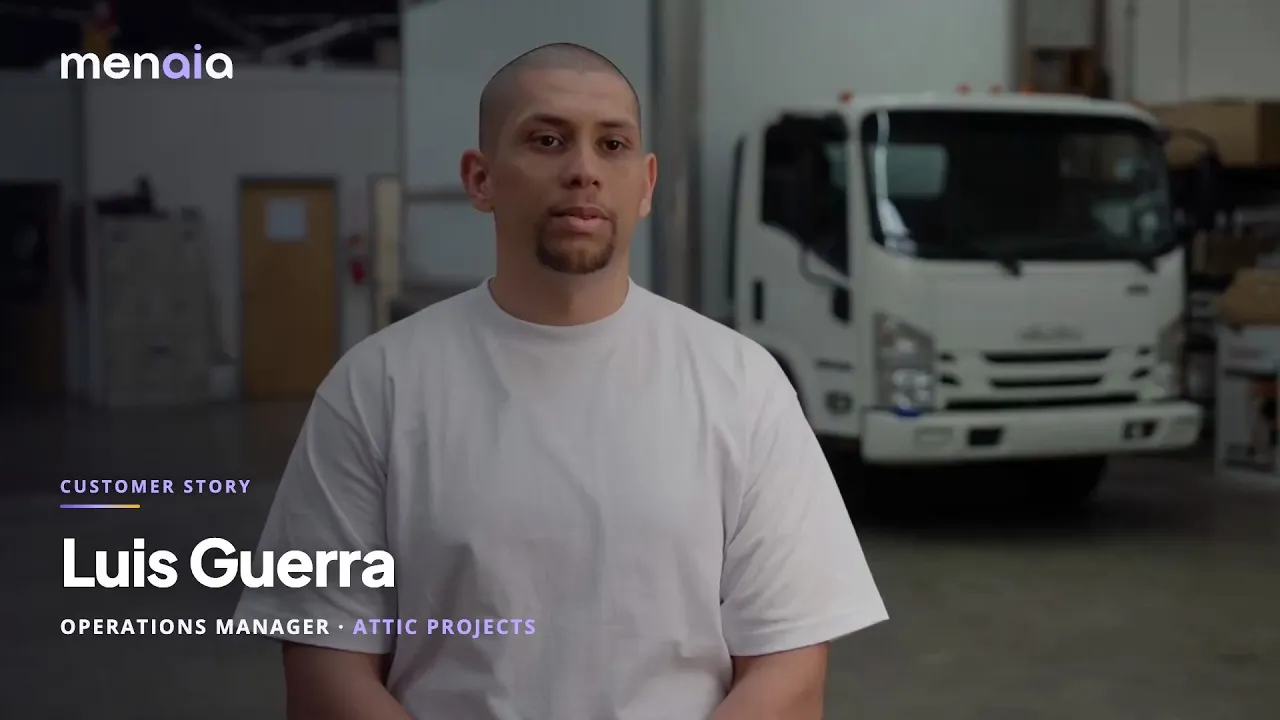
Customer story"My closing ratio is now no less than 50%" — Eben Woodall, Attic Projects

"Before Menaia, I was able to manage 3 to 4 crews a day. Now I can run anywhere between 10 to 12 in 2 different locations."

Luis Guerra, Operations Manager
Attic Projects

"Payroll used to take me all day long, and now I can be done with my times in about 15 minutes in a day."

Brandon Jones, Office Administrator
Attic Projects

Before you move your plumbing office over

Can I use my own repipe items and labor allowances?

Yes. Your price book supplies the items and costs for the calculator, including the pipe runs and labor you choose to quote. Those tools start on Core. Menaia organizes and prices your inputs; the plumbing scope still comes from your walkthrough.

How does the crew find access notes and rough-in photos?

Property records hold access information, and the job carries the scope. In the project gallery, create folders that match your repipe stages. Plumbers upload media to the project so the office and the next person on site can find it.

What happens to an after-hours leak message?

The call or text lands in the business inbox. Calls have transcripts and summaries, and Meni can prepare a response. A team member reviews the request and approves the reply. The office remains responsible for confirming the service visit.

Can Meni help when a repipe customer goes quiet?

Ask “Draft a check-in on this unsigned repipe estimate.” Meni uses the estimate and conversation already recorded in Menaia to prepare the message. Read the draft for the agreed inclusions before approving it, especially if access or fixture choices are still being discussed.

Does an urgent call change the crew bonus automatically?

Bonus math follows the estimated and actual hours on each job. Keep service-call shifts attached to the service job and repipe shifts attached to the repipe. If a completed job is reopened before the payout cutoff, its payouts are recalculated; after cutoff they are final.

What would five active plumbing users cost?

On monthly billing, Core covers five people for $199.99, with the price book, calculator and 6,000 tokens included. Extra seats are $35 each. Phone use and Meni draw from the allowance, so include your service-call volume when comparing plans. The trial lasts 14 days and supplies 1,500 tokens.

What is useful to prepare before setup?

Gather your repipe and water-heater catalog items, customer and property records, and one open project. Guided onboarding and data migration are included. Check that a plumber can read the scope, upload a photo and find the next shift before moving the rest of the crew over.

Walk one repipe from the first call to billing.

Bring a recent scope and the service schedule around it. We will trace the quote, crew assignments, field photos and invoice so your office can judge the fit.

  • One connected flow from lead to project to performance
  • Live and set in a week with guided onboarding
  • Clear plans, extra users just $35/mo
  • Goals, bonuses, and leaderboards crews can see in real time
Loading available times…

Select a time to continue