The follow-up sends itself. You approve it.
Nobody started a contracting business to write "just checking in on invoice DB-3" emails. Describe the rule once, in plain English, and every overdue invoice gets a drafted, payment-linked nudge waiting for your OK.
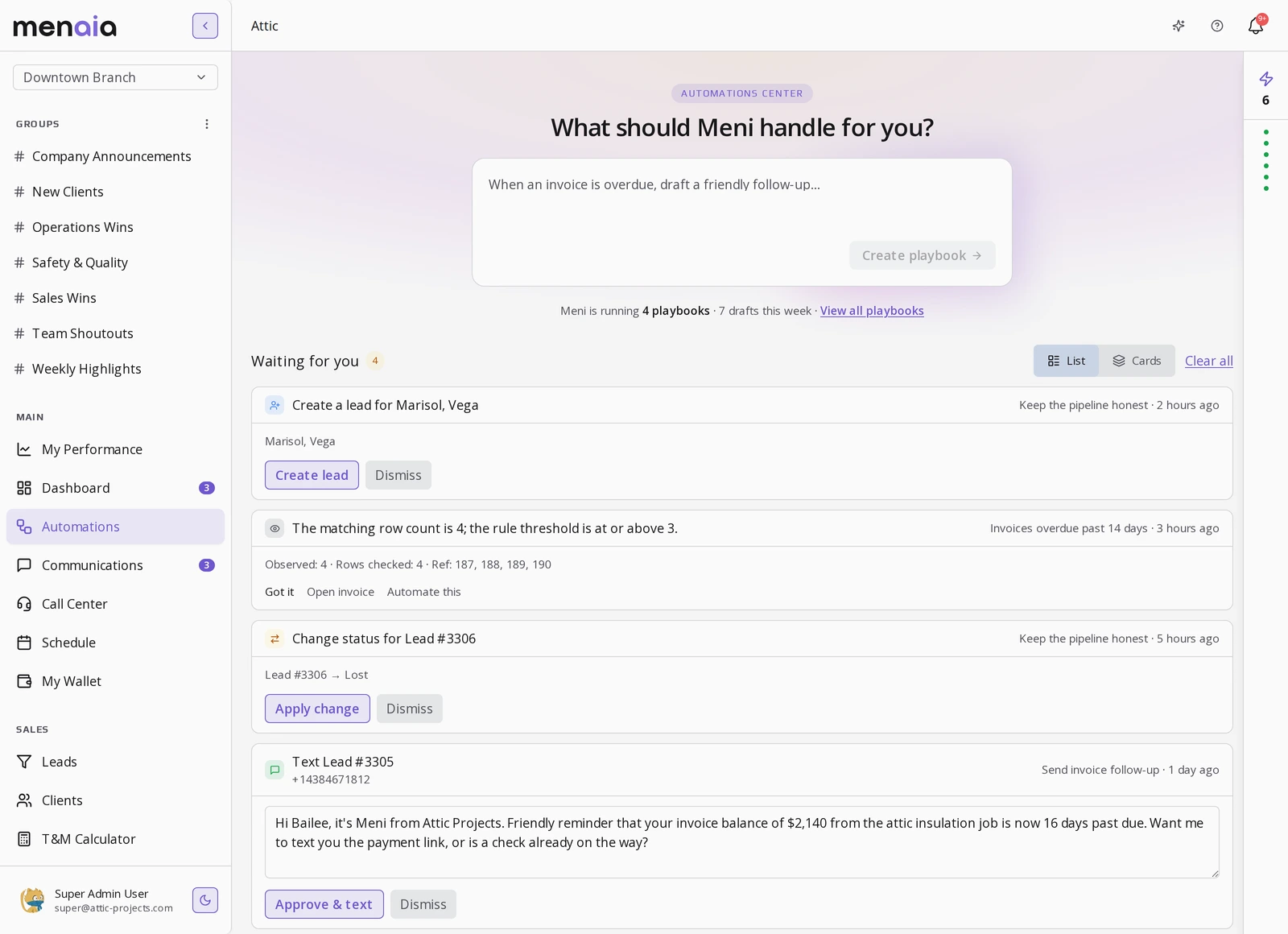
What a reminder run looks like.
- 1
An invoice crosses its due date.
- 2
Meni drafts the reminder in your tone, payment link included.
- 3
You approve, edit, or discard it from the queue.
- 4
It sends, it is logged, and the customer pays from the link.
Discard one and Meni learns from it.
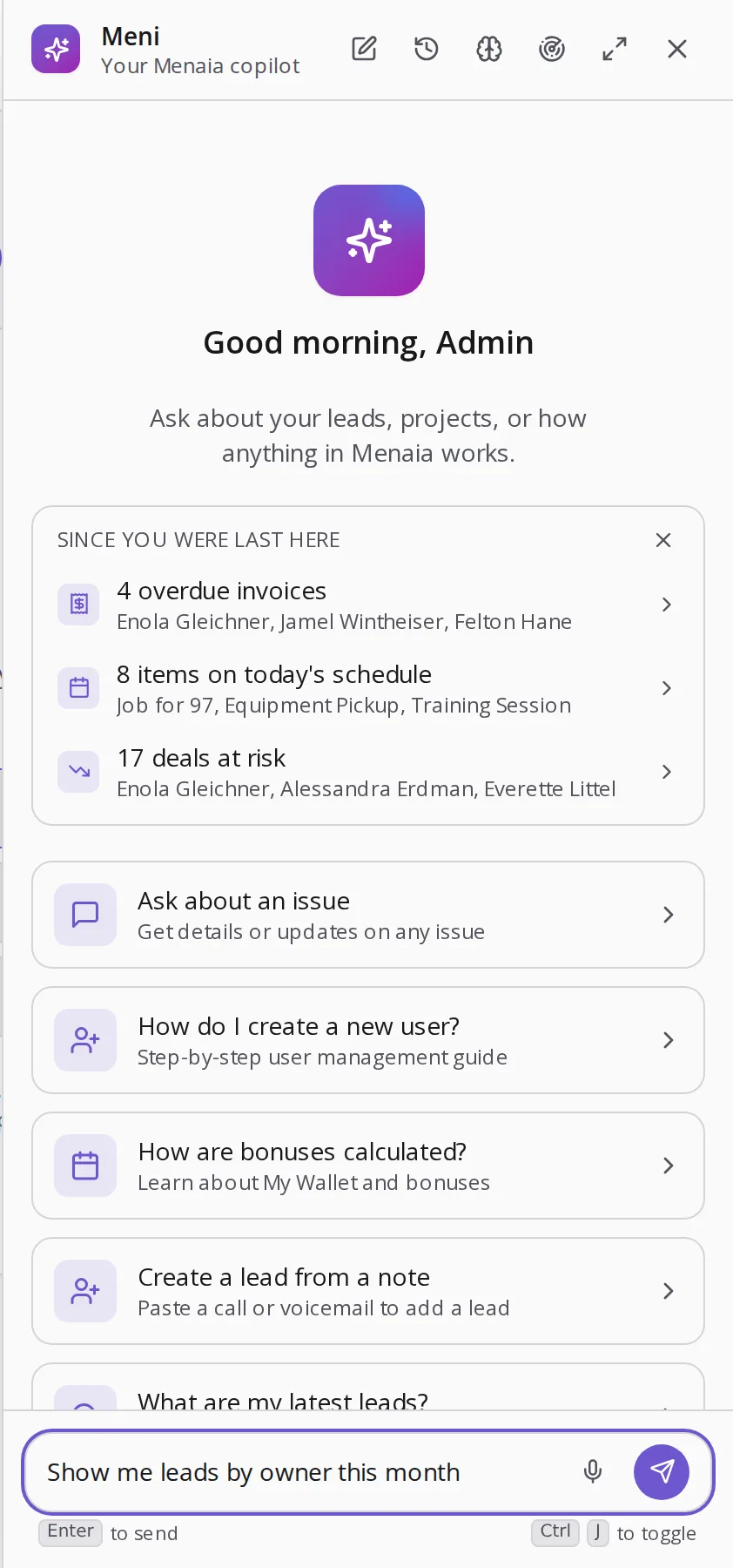
Meni keeps the overdue list so you don't.
The morning briefing hands you the overdue invoices by name, so the awkward reminder starts from a list, not from memory.
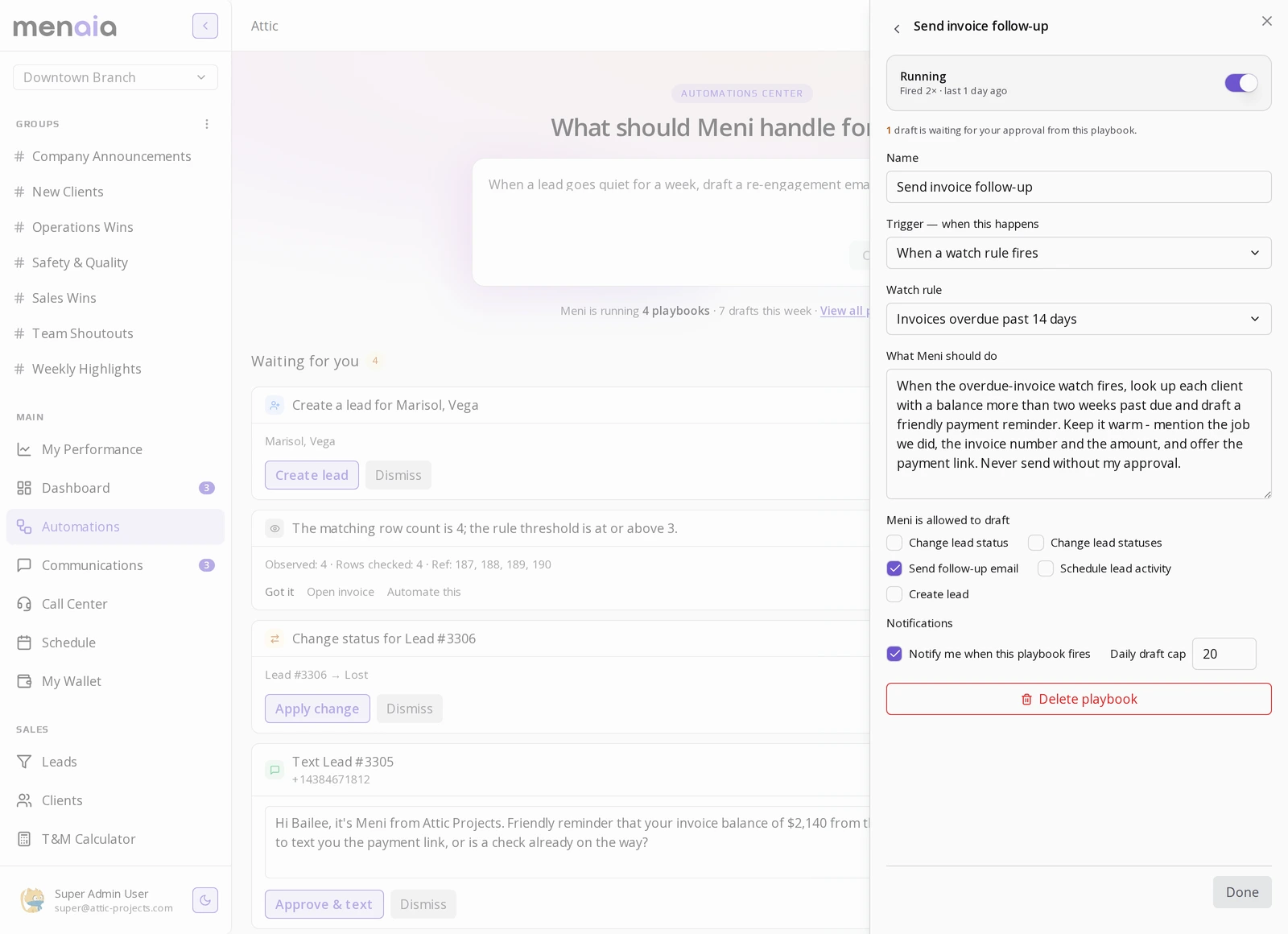
Your timing, your tone.
Send before the due date, on it, or at intervals after. Cadence is configurable to your collection style, every reminder is logged so you can see what went out and when, and contact preferences and opt-outs are respected.
Firm is fine. Forgetful is expensive.
Questions owners ask
Can I set the schedule?
Yes. Send before the due date, on it, or at intervals after, and set the cadence to match your collection style.
Is a payment link included?
Every reminder carries the payment link, so the customer pays straight from the message.
Where do I see what went out?
Every reminder is logged, so you can see exactly what sent and when.
Can I stop a reminder before it goes?
Yes. Every send waits in the approval queue until you approve, edit or discard it.
See it on your own numbers.
Book a demo and bring a real job. We will price it, propose it, and invoice it in front of you.
Select a time to continue