Walk in already briefed.
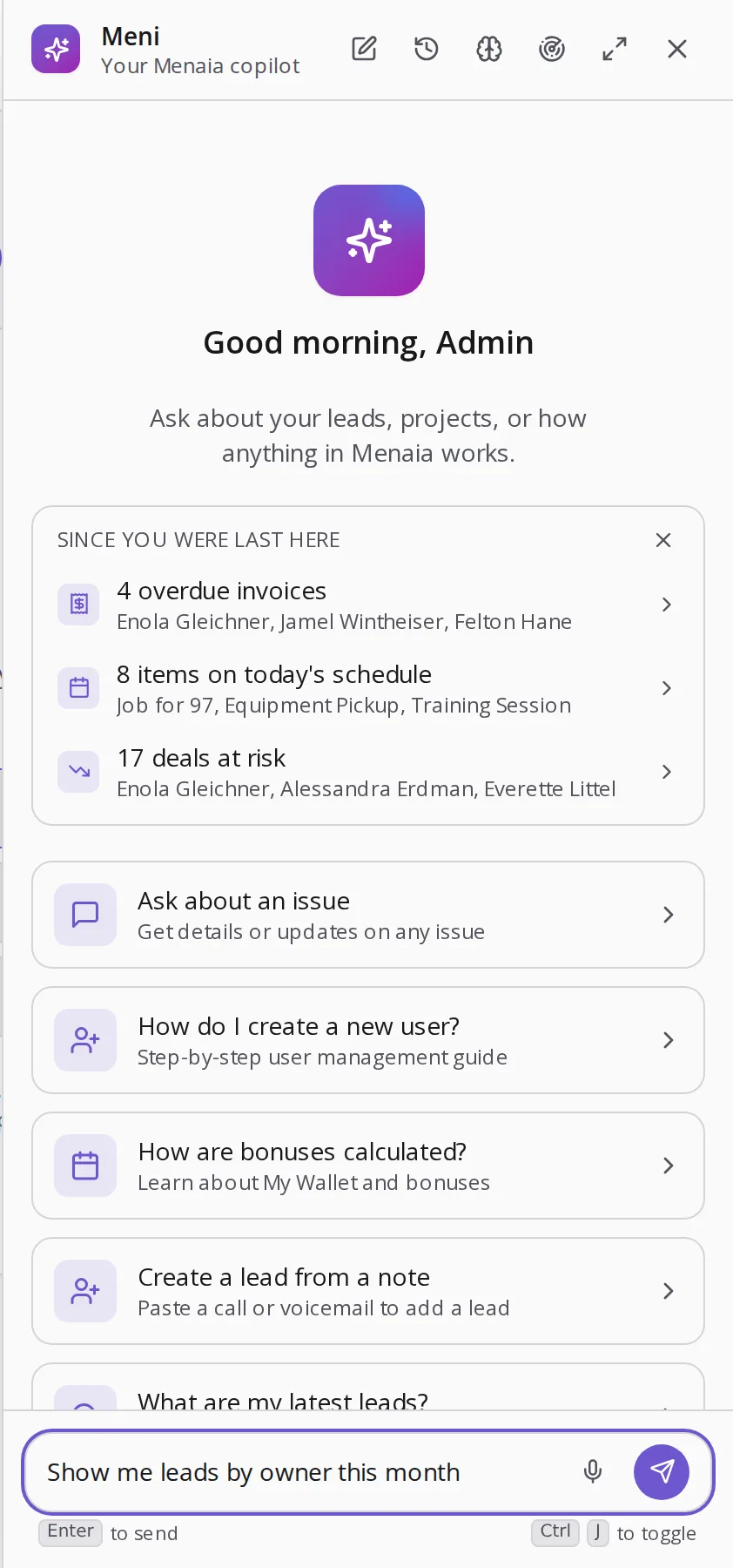
Since you were last here: 4 overdue invoices, 8 items on today's schedule, 17 deals going quiet. That is the first screen of the day, written by Meni, with the names attached.
A report you can click into.
Each briefing line opens the records behind it. The overdue-invoices line is the actual invoices. The schedule line is today's board. It is the opposite of the PDF nobody opens.
The line opens the actual invoices, filtered to overdue, with amounts.
The line opens today's board, so the day starts already laid out.
The line lists the deals going quiet, by name, ready to chase.
From briefing to narrative.
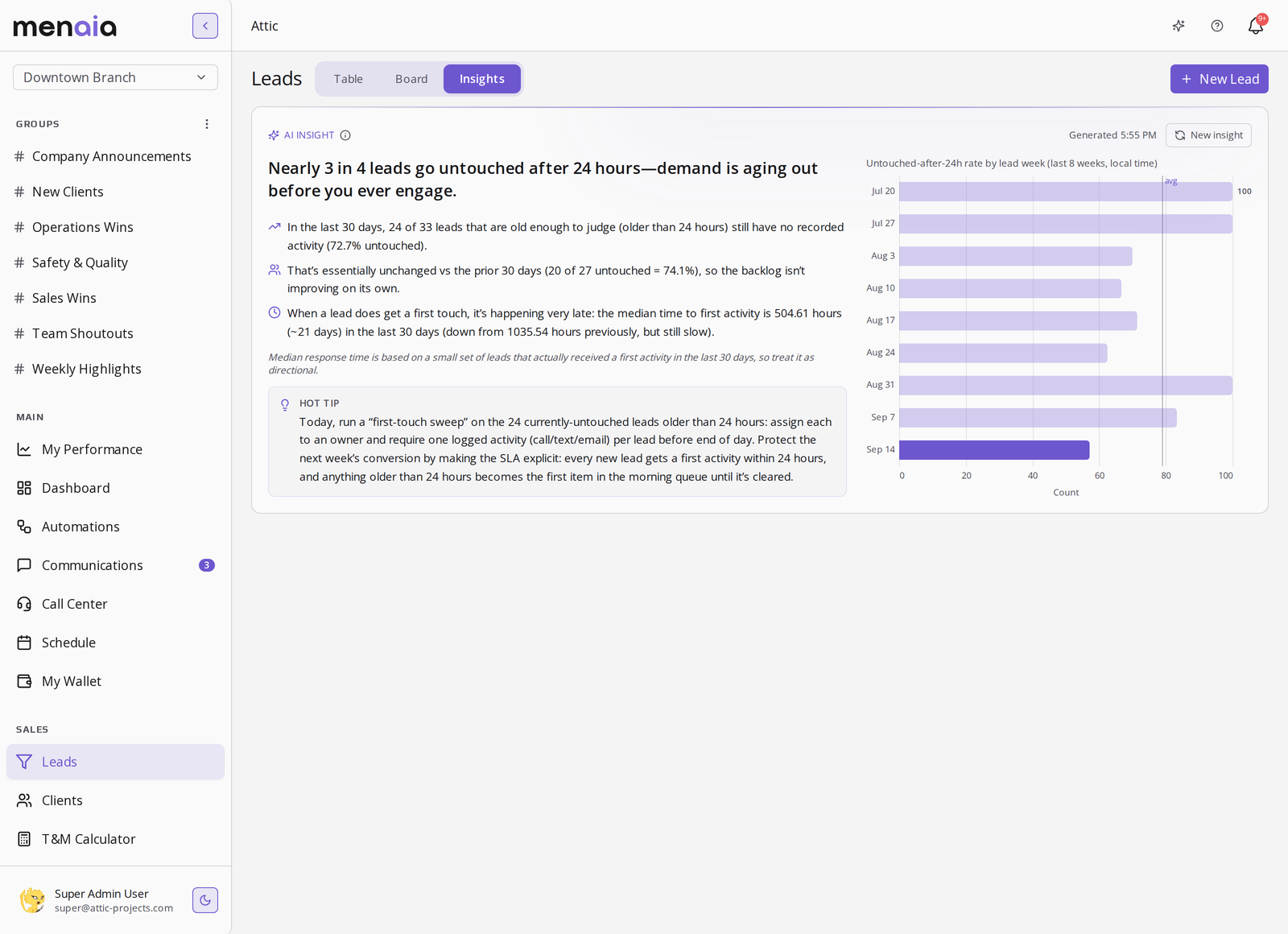
The daily insights feed writes dated findings in full sentences with evidence charts, like nearly 3 in 4 of your leads going untouched in their first 24 hours. Together, the briefing and the feed replace the weekly status doc.
Share the numbers without screenshots.
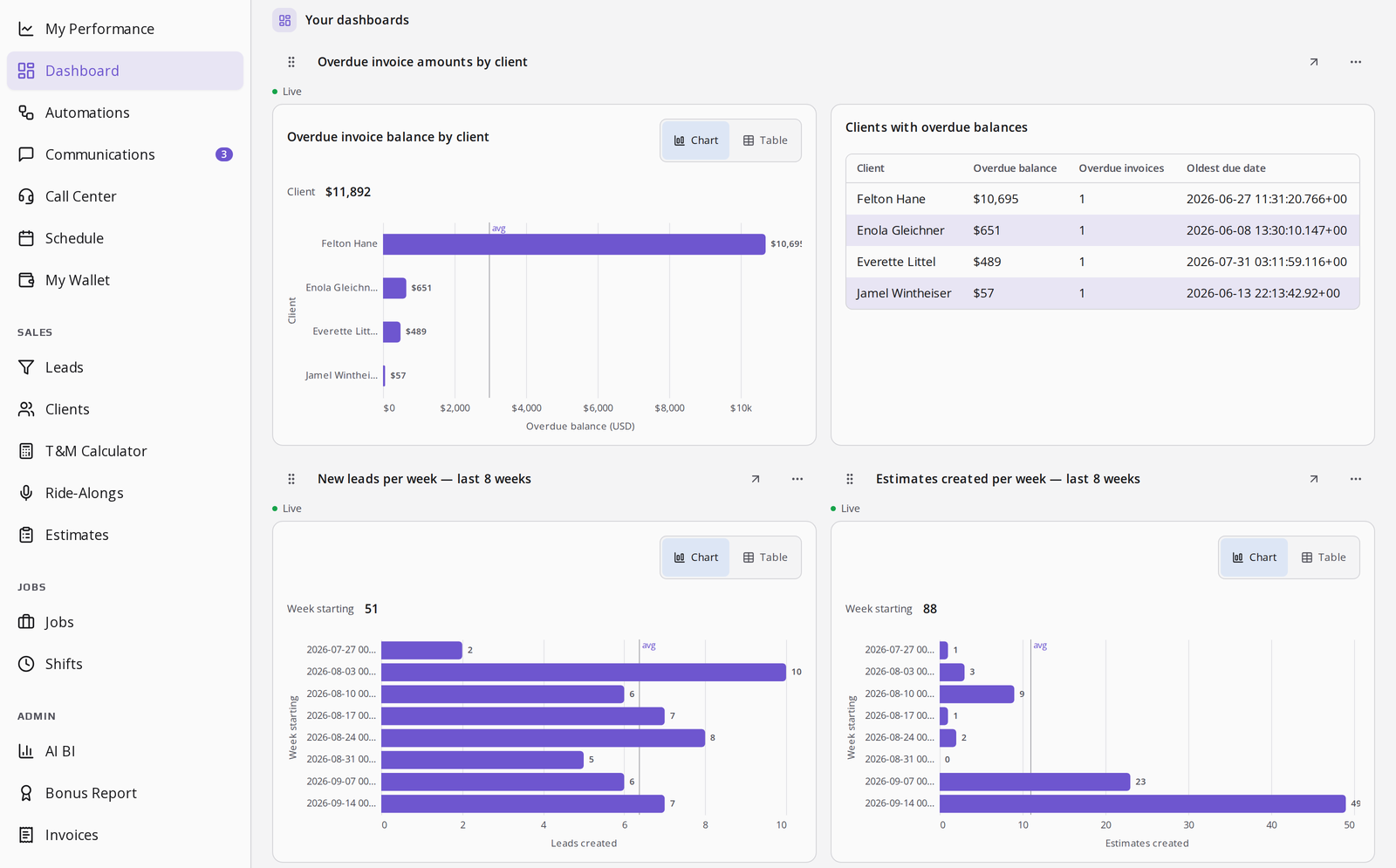
Pin the relevant cards to a board and give the team the board. Payroll-grade exports live in financial reports.
The briefing, answered.
- When does the briefing update?
- Every time you come back. It is a diff since your last visit, so it always opens on what actually changed.
- Can I control what it watches?
- Meni watches invoices, schedule, and deal activity today. Automations extend what gets flagged in the briefing.
- Does reading reports cost tokens?
- Meni's generation is metered at one cent per token. Viewing the briefing and the boards is not. See pricing.
See the findings feed, pin to a board, the financial exports, and the token rates.
See your own morning briefing
Thirty minutes with someone who ran crews. We will show you the first screen your Monday would open on.
Select a time to continue