The numbers your bookkeeper keeps asking for.
Bonus payouts by employee for any date range, as a CSV payroll can ingest. Invoices by status. Revenue by branch. Pulled in minutes, not rebuilt in a spreadsheet.
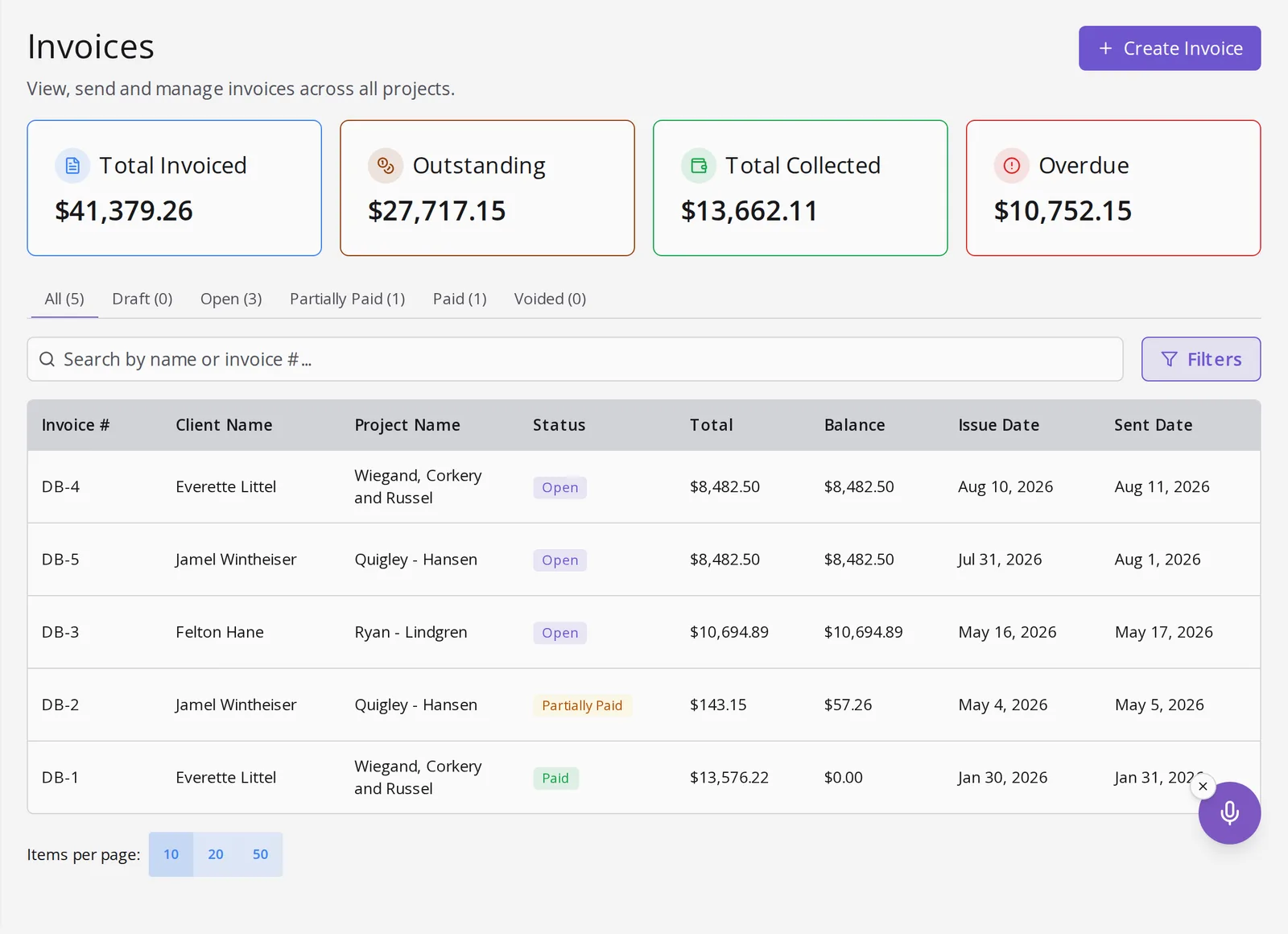
Three reports that leave the app cleanly.
Each one is built for a specific person who keeps asking for it.
| Report | What it shows | For whom | Built for |
|---|---|---|---|
| Bonus report | Per-employee totals for a date range | Admins, ops managers | Built for payroll, exports as CSV |
| Invoice aging | Status and amounts across the pipeline | The bookkeeper | A clean AR picture in one filter |
| Revenue by branch | Totals by branch and period | The owner and the bank | The number the loan officer asks for |
Bonus report is a menu item, not a project.
It lives in the admin nav next to AI BI and Invoices. Pick a date range, download, hand it to payroll. Amounts are final after the branch cutoff window, so the CSV never contradicts the wallet.
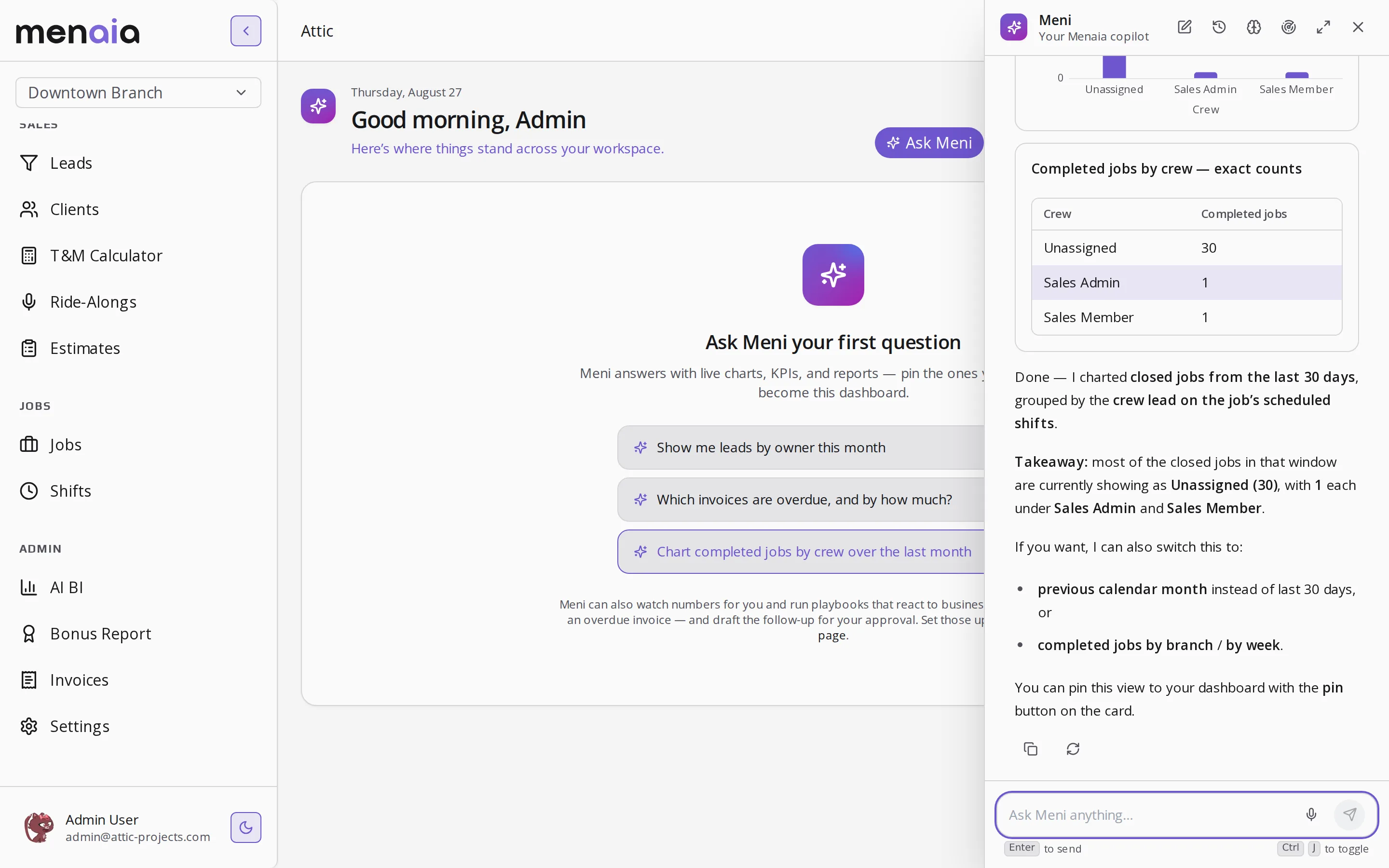
Ad hoc questions don't need an export.
Which invoices are overdue and by how much is a typed question with a live answer. Save the exports for the systems that actually need a file.
Getting clean numbers out.
- What format is the bonus export?
- A CSV with employee ID, name, and total bonus for the date range you pick. Payroll can ingest it directly.
- Who can pull financial reports?
- They are role-gated. Admins and ops managers can pull payroll data. Field users cannot see the whole branch.
- Can numbers change after export?
- Not after the branch payout cutoff. Before cutoff, a reopened job recalculates so the export never contradicts the wallet.
See how payout numbers are computed, where they land in the wallet, how to ask for a report, and the margin behind them.
Pull your first payroll export
Thirty minutes with someone who ran crews. Bring a pay period and we will pull the CSV your bookkeeper wants.
Select a time to continue