Get paid as the job moves, not after it ends.
Break the price into stages: a deposit, progress payments and a final. Send each stage’s invoice when the work gets there, so cash keeps up with payroll.
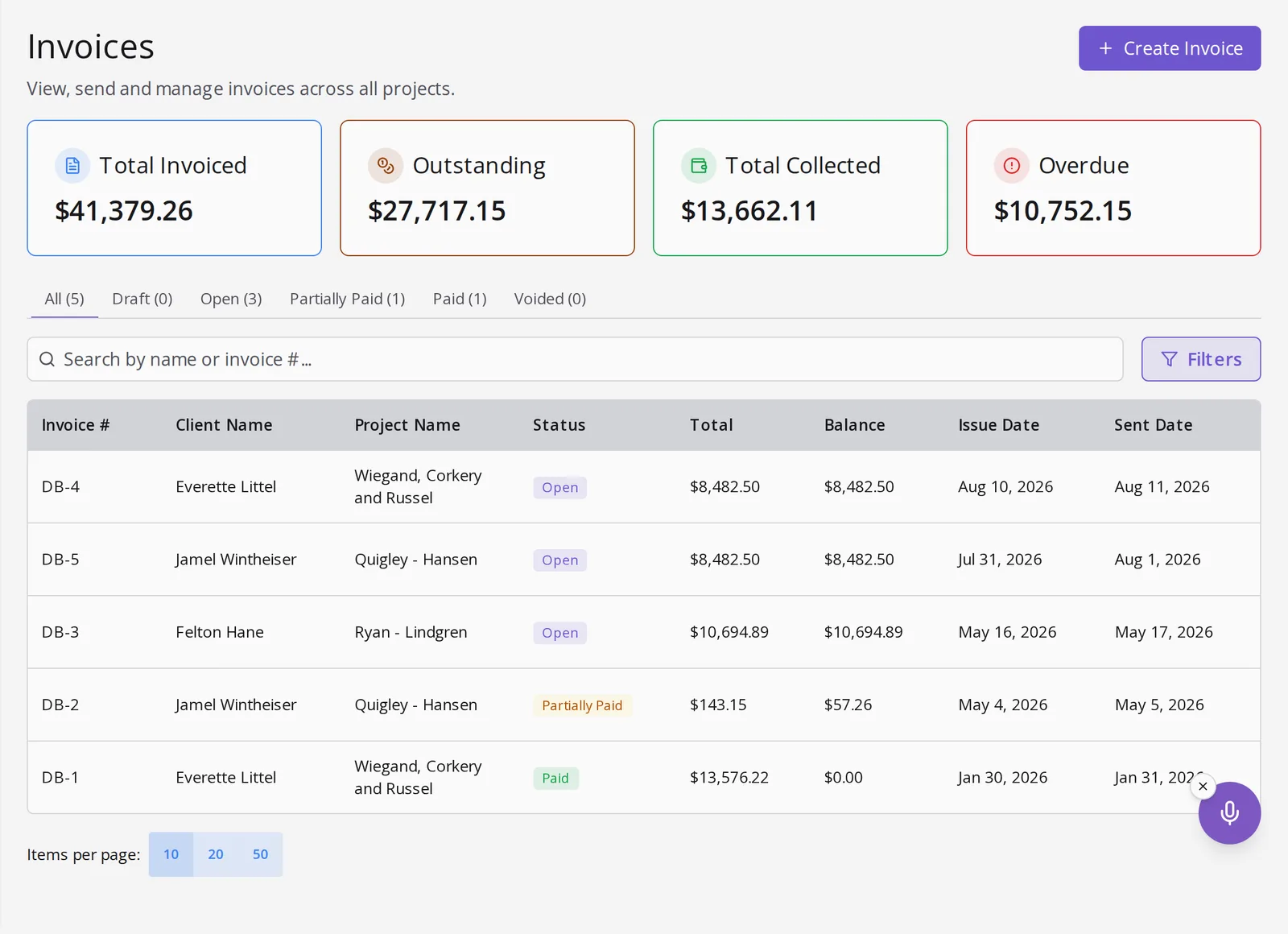
Cash flow that keeps up with the crew.
Deposits come first
Send the deposit invoice once the proposal is signed, and don’t book the crew until it clears.
Stages you name
Name each stage and set it as a percentage or a fixed amount. The schedule shows what to bill next, so nobody has to remember.
Always know what’s outstanding
Every project shows what’s collected, pending and overdue across its stages, rolled into your invoice totals.
Set the stages once. Bill each one when it’s due.
1 Set the stages
When you set up the project, split the price into a deposit, progress stages and a final, each a percentage or a fixed amount.
2 Collect the deposit
Send the deposit invoice once the proposal is signed. Set up your workflow so the crew is booked after it clears.
3 Bill each stage
When the work reaches a stage, create its invoice from the payment schedule and send it to the customer.
4 Track it to zero
Each stage has its own invoice, status and payment link. The project shows the running balance until it reads zero.
Questions, answered.
How do I set up the stages?
Set the payment schedule when you set up the project: a deposit, progress stages and a final, each a percentage or a fixed amount. You invoice each stage when the work gets there.
Can I require a deposit first?
Yes. Set up your workflow so the crew isn’t booked until the deposit clears. Payment comes before scheduling.
How do I track what is paid?
Every project shows what’s collected, pending and overdue across all its stages, rolled into your invoice totals.
Do stage invoices work with payment links?
Yes. Every invoice carries one, and checks or cash are recorded the same way.
Stop paying for the job before you get paid for it.
Bill in stages, so the money comes in while the crew is still on site.