Know what you’re up against.
When a homeowner has other quotes, they upload them to your proposal and WisePick compares them side by side with yours. Your rep sees the same analysis, so the follow-up starts with the facts.


Stop guessing what the other bids say.

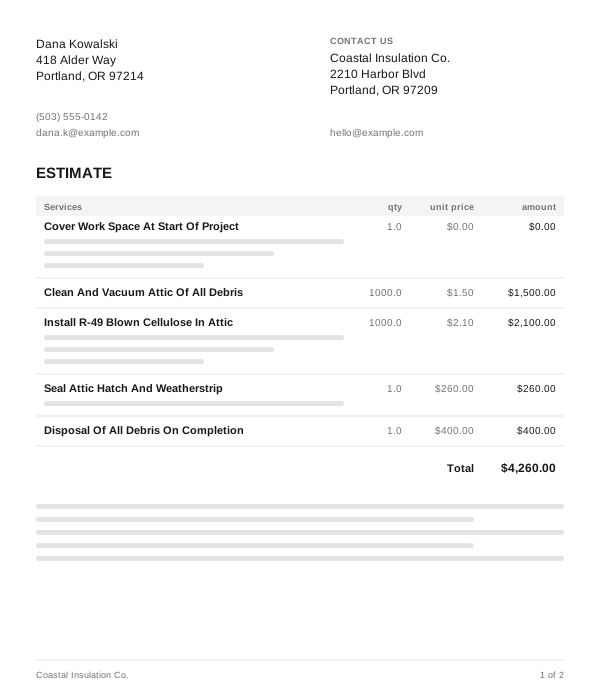
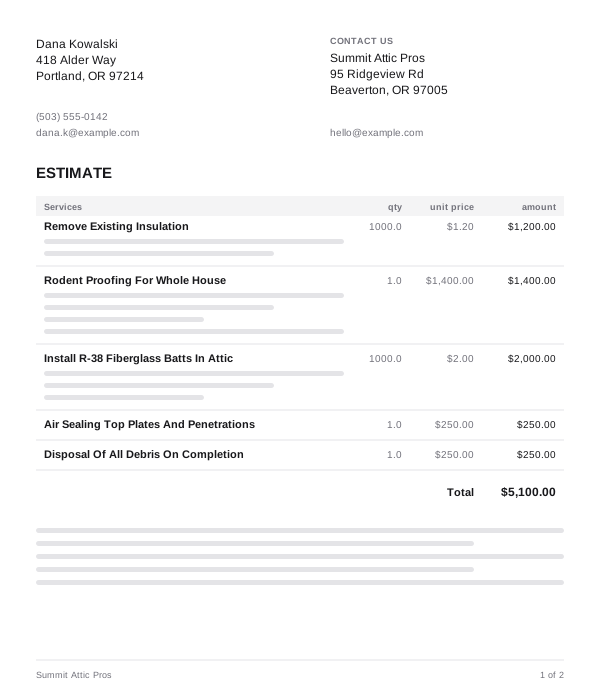
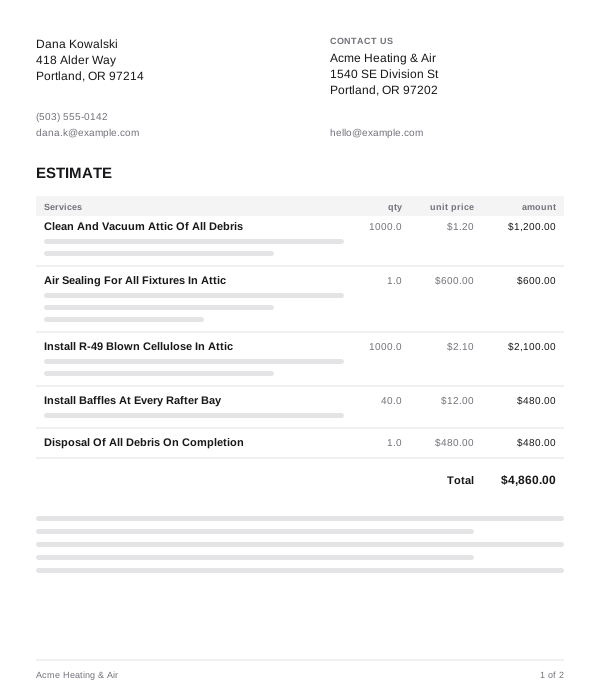
The homeowner uploads competing quotes
Right from your proposal link, they upload up to three competing quotes. No account, no forwarding PDFs to your rep.
They see every quote side by side
WisePick lines up the proposals they uploaded next to yours, with price, scope and warranty in view and the best value called out.
Your rep gets the insight, right away
The moment quotes come in, your rep and the branch’s Sales Admins are notified with WisePick’s read on every bid, so the follow-up call starts with a strategy, not a guess.
From their other quotes to your next move.
1 Send your proposal
Once the proposal is sent, the homeowner sees WisePick on it with a Compare Quotes button. It stays hidden while the estimate is still a draft.
2 They upload the other quotes
Up to three PDFs, 5 MB each, from their phone or computer. The comparison is ready in about 15 to 30 seconds.
3 Every bid, ranked and explained
Each quote gets its price, its highlights and a rank. WisePick calls out where another bid is genuinely stronger, then explains why yours is the better value.
4 The quotes stay on the project
Every competing quote is saved to the project’s documents, in a Competing Proposals folder, so your rep can open the real bids before the follow-up call.
Questions, answered.
Who uploads the competing quotes?
The homeowner, from the proposal link you sent. They don’t need an account. WisePick shows up once the proposal is sent, not while the estimate is a draft.
How many quotes can they compare?
Up to three at a time, as PDFs of up to 5 MB each. They can come back and run a new comparison later.
What does WisePick compare?
Pricing, scope of work, materials, warranty, terms and conditions, credentials, and the overall quality and detail of each proposal.
Is it fair to the other contractors?
It works from what’s in the quotes. It calls out where another bid is stronger and is honest about tradeoffs, then explains why yours is the better value. The analysis is AI-generated, and it says so.
Where do the competing quotes end up?
On the project, in a Competing Proposals folder under Documents, next to the WisePick analysis on your proposal.
Can Meni see the analysis?
Yes. Ask Meni about a proposal and it includes the WisePick summary, for anyone allowed to see it.
Win the job they’re still shopping around.
Let homeowners compare on your proposal, and give your rep the full picture before the next call.