Status. Team. Photos. Sign. Pay.
Give every homeowner one place to follow their project: where the job stands, who’s on it, photos as the work happens, proposals to sign and invoices to pay.


Fewer “how’s it going?” calls.
Where the job stands
Homeowners see the job’s stage at a glance, from proposal accepted to completed, along with their project manager and crew lead.
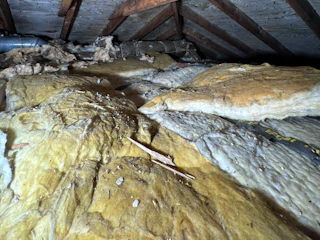
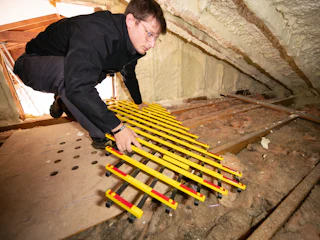

Photos as the work happens
Photos and videos from the job show up in the portal as your crew uploads them. You choose which folders they see.
Proposals to sign, invoices to pay
Every proposal and invoice sits in the portal with a link to sign or pay. Overdue invoices are flagged, so nothing slips through.
Share the portal in a few clicks.
1 Choose what clients see
Overview is always there. Turn on Media, Proposals, Invoices and Calendar once, and it applies to every project in your company.
2 Invite them by email or text
Send the invite from the project, by email, text or both, and see when they opened it. Or let the portal open itself when the client signs a proposal.
3 They review and sign
Every proposal and change order is in the portal. The homeowner signs on the pad and taps Approve, and every version stays there after it’s signed.
4 They pay online
Invoices show what’s been paid and what’s left. With online payments on, homeowners pay by card on a secure checkout page.
Questions, answered.
Do homeowners need an account or a password?
No. They sign in with a secure link sent by email or text. If a link expires, they enter their email on the portal’s sign-in page and get a new one.
What can a homeowner see?
Overview is always on: job stage, property details, their team and recent photos. You choose whether Media, Proposals, Invoices and Calendar show too, for every project in your company.
Do they see every photo we take?
No. They only see the folders you choose to share. Everything else stays with your team.
Can the portal be shared automatically?
Yes. Turn it on, and when a client signs a proposal, their portal opens and the invite goes out by email, or by email and text.
Does it share my team’s phone numbers?
No. Homeowners see the names of their project manager and crew lead, and the calendar shows visits without naming the crew. Calls go to your branch number.
Can I see what the homeowner sees?
Yes. The Client Portal tab on each project shows a live preview of their portal, plus when the invite went out and when they last opened it.
One link for everything the homeowner needs.
Share the portal once, and they can check the job, see the photos, sign and pay whenever it suits them.