The right nudge, to the right person.
A published shift lets the crew know. A signed proposal pings the rep. A missed clock-out becomes a text. You decide which events go in-app, by push, by email or by SMS, so nobody gets buried.
Fewer phone calls. Nothing missed.
A channel for every event
In-app for the routine, email for the important, SMS for the urgent. One event type, one deliberate channel.
Publishing is the announcement
The moment shifts or task schedules go live, everyone assigned hears about it. No phone tree to confirm.
Buying signals, instantly
Proposal opened, signed, rejected or changes requested: the rep knows while the customer is still looking.
Choose once. Everyone stays in the loop.
1 Pick the channel per event
Each event type can go in-app, by email or by SMS, and you can set different behavior for different roles.
2 Tune texts for each branch
Each branch sets its own thresholds for break reminders and forgotten clock-out alerts, so timing matches how they work.
3 Meni drafts the reply
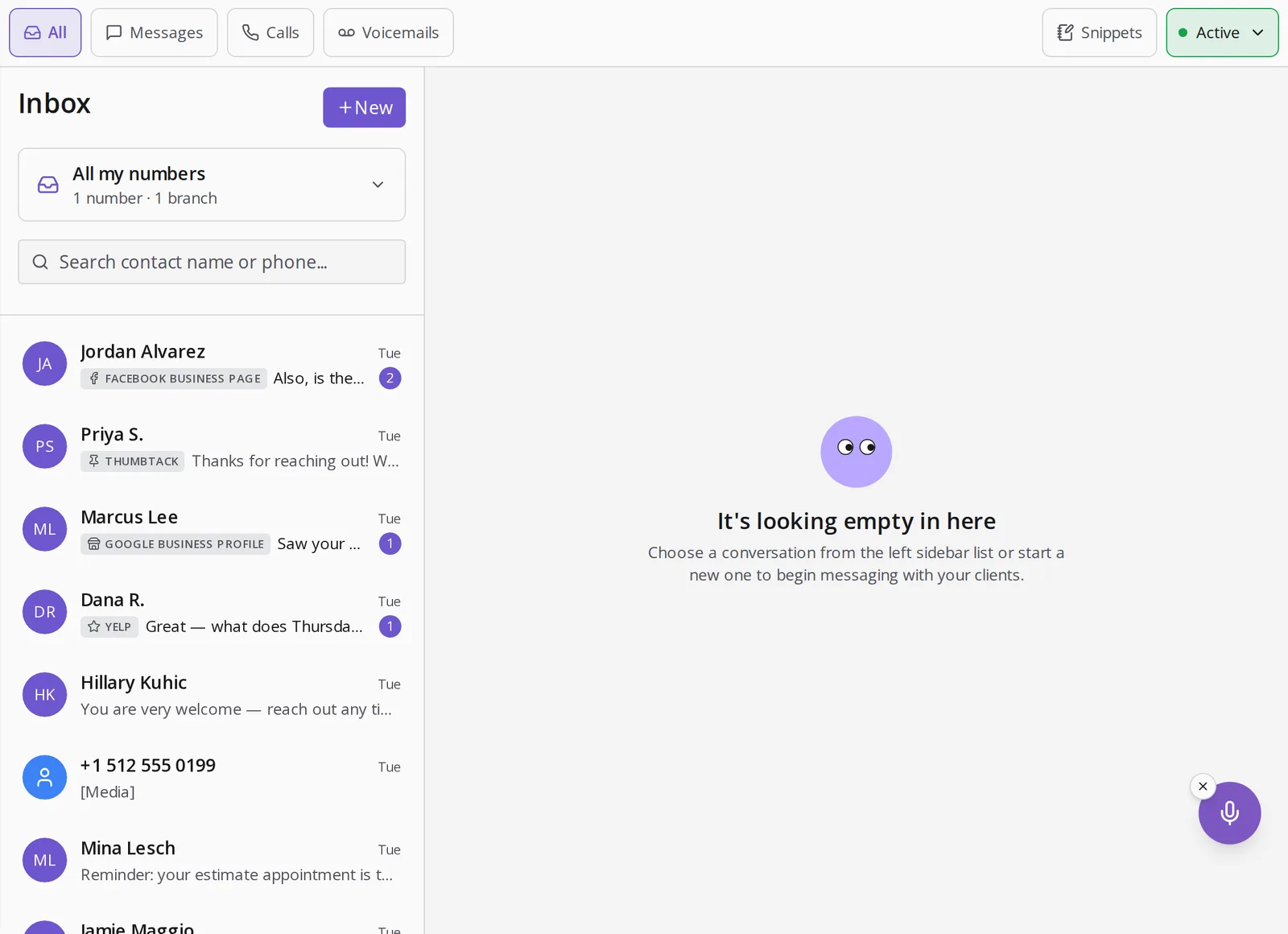
Stuck on a reply? Click draft and Meni writes it in the thread, with the whole conversation in view. You read it and send it.
4 Everything lands in one inbox
Texts, calls and replies sit together, so anyone picking up the thread has the full story.



Questions, answered.
Which events can trigger a notification?
Shift and task schedule publishes, time off, break and clock-out reminders, proposal opens and signatures, lead activities, and a reminder when a draft has sat unpublished for 48 hours.
Can I choose the channel per event type?
Yes. Each event type can be delivered in-app, by push, by email or by SMS, and you can set different behavior for different roles.
Are SMS reminders configurable?
Per branch. Each branch sets its own thresholds for break reminders and forgotten clock-out alerts, so timing matches how that branch works.
Will my crew get spammed?
No. Notifications map to events that need action from that specific person, and each type is scoped to the roles that care about it.
Keep your whole team in the loop.
Let the right people hear about the right things at the right time, so nobody spends the day chasing updates.